

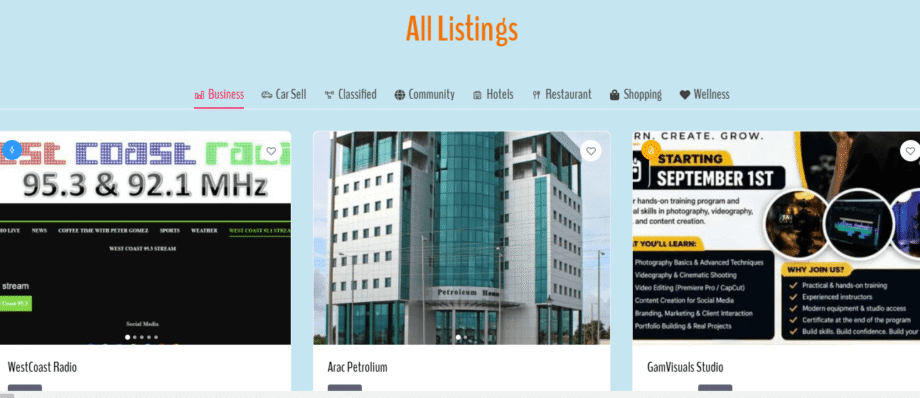
How To Use GambiaFind App: Create Account | Post Listings & Explore Features
- 23/08/2026
- Guide: How To
- 2 mins read
Finding trusted local businesses, service providers, and verified contacts across The Gambia just got easier. Whether you are an entrepreneur looking to expand your reach or a user searching for reliable local services, GambiaFind provides a seamless, digital solution built specifically for our community. In this step-by-step guide, we will walk you through how to get started with the GambiaFind platform—from setting up your account to publishing your first business listing and exploring key features.
1. Getting Started: Setting Up Your Account
Creating an account on GambiaFind is quick and straightforward. Having a registered profile allows you to manage your business listings, bookmark favorite services, and connect directly with service providers.
Step 1: Download the GambiaFind app from the Google Play Store or access the web portal directly at gambiafind.anyablinc.com.
- Step 2: Tap the profile/menu icon in the top navigation and select Sign Up / Register.
- Step 3: Enter your name, email address, and preferred password.
- Step 4: Submit the registration form and log in to access your personal dashboard.

2. How to Post a Business Listing
If you own a business, offer freelance services, or manage an organization in The Gambia, listing on GambiaFind boosts your online visibility and helps potential clients find you instantly.
- Step 1: Once logged into your account, click on the + Add Listing button located in the main header menu.
- Step 2: Select the primary Category for your business (e.g., Automotive, Technology, Construction, Hospitality, Health, or Professional Services).
- Step 3: Fill in your business details:
-
- Business Title & Description: Provide a clear overview of your products, services, and working hours.
-
- Contact Information: Include a active phone number, WhatsApp contact, email, and social media handles.
-
- Location: Set your physical address or operational region so local clients can locate you easily.
- Step 4: Upload clear images, such as your business logo, storefront, or portfolio photos, to make your listing stand out.
- Step 5: Review your details and tap Submit. Your listing will go live after a quick verification step!
3. Exploring GambiaFind Features
GambiaFind is packed with user-friendly features designed to make searching and connecting fast and efficient:
- Smart Category Filters: Quickly search for nearby tailors, technicians, mechanics, restaurants, or legal services with categorized search tools.
- Direct Contact Buttons: Connect with business owners directly via call, email, or WhatsApp with a single tap.
- Interactive Map Views: Discover enterprises near your current location across the Smiling Coast.
- Verified Listings: Gain peace of mind by viewing verified details and accurate contact information for listed businesses.
Watch the Full Video Tutorial
Prefer a visual walkthrough? Watch our step-by-step video guide showing you exact screens, setup controls, and navigation inside the GambiaFind app:
Join the GambiaFind Community Today
Whether you are looking to support local commerce or grow your own business, GambiaFind connects you to opportunities right at your fingertips.
👉 Get Started Now: Visit gambiafind.anyablinc.com or download the app on Google Play today!

City Security Solution
01/09/2026The right place for Visibility to hire and sell